Buy RDS 2016 Device CAL Key (50 Devices) | KeysLocker
All Products
Office Windows Microsoft 365 Visio Project Server Bundles
,

Microsoft RDS Server 2016 — 50 Device CAL — Online Key

Original price was: $29.99.Current price is: $17.99.

50 Remote Desktop Services (RDS) Device CALs for Windows Server 2016. Allows 50 devices to connect remotely, used by any user. Instant digital delivery.

SKU: KL-RDS16-50D Categories: , Tags: , , , Brand:
Platform Windows
Type Key
Region Global
Instant Delivery
Genuine License
24/7 Support
Money-Back Guarantee

Buy RDS 2016 Device CAL — 50 Device Remote Desktop Licenses

License 50 devices at the lowest price with this genuine RDS 2016 Device CAL. Each RDS 2016 Device CAL lets any user connect from a licensed device to Windows Server 2016.

What You Get

  • 50x RDS Device CALs for Server 2016
  • Instant delivery
  • Device-based licensing
  • Global activation

Device vs User

How to Activate

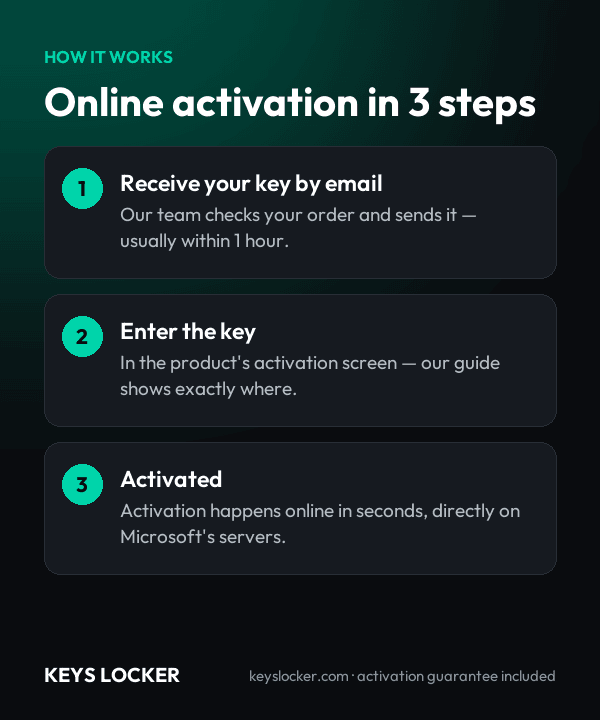
  1. Open RD Licensing Manager
  2. Install your RDS 2016 Device CAL key

See our guide and Microsoft docs.

Is This Key Genuine?

Genuine Microsoft RDS 2016 Device CAL key. Replacement or refund guaranteed.

Frequently Asked Questions

It licenses a machine, not a person. Any number of staff can sign in from that machine to a Windows Server 2016 RD Session Host and every one of them is covered. Each distinct endpoint that connects needs its own CAL, including thin clients, tablets and home PCs. The two administrative connections built into Windows Server stay free.

A device receives a temporary license on its first connection and draws a permanent CAL from the pool on its second. Permanent Per Device CALs carry staggered expiry dates roughly 52 to 89 days out and renew automatically while the device keeps connecting. Every issued CAL is listed per device in Remote Desktop Licensing Manager, so the count is enforced and auditable.

Yes. A 2016 RDS Per Device CAL reaches back as far as Windows Server 2012, so 2012 R2 and 2012 session hosts are covered alongside 2016. It cannot license a 2019, 2022 or 2025 session host, which need CALs of their own version or newer, and the RD Licensing role itself must run on Windows Server 2016 or later.

Yes. Device CALs count machines, not headcount, so 50 terminals need 50 CALs whether 130 or 300 agents rotate through them. Per User licensing on the same site would need 130. Break-even sits at one user per device: above that ratio device licensing wins, and it only slips if an agent also connects from a second machine, which needs its own CAL.

A new RD Session Host accepts sessions for 120 days from the first client connection without any license server present. When that window closes, clients are refused until an activated RD Licensing server holding CALs is reachable. Install and activate the license server first, then point the deployment at it, rather than running down the countdown.

The CALs are perpetual and keep working on 2016 and older session hosts for as long as you run them. What ends is security updating for the host operating system. If those hosts are rebuilt on a newer Windows Server release, the CAL version has to move up with them, because a 2016 CAL cannot license a 2019 or later host.

Delivery is automatic. The 50-device CAL key is emailed to the address used at checkout as soon as payment clears, normally within one to five minutes, and it also appears in your account order history. The message includes the steps for adding the pack to a Windows Server 2016 or later RD Licensing server.

Contact support at any hour. If the pack will not install in Remote Desktop Licensing Manager, or is rejected during activation, send the order number and the exact error the wizard returns. We issue a replacement key or a full refund within 24 hours, and support can walk you through the Install Licenses wizard step by step.

Recently Viewed

Scroll to Top