Buy RDS 2016 User CAL Key (50 Users) | KeysLocker
All Products
Office Windows Microsoft 365 Visio Project Server Bundles
,

Microsoft RDS Server 2016 — 50 User CAL — Online Key

Original price was: $29.99.Current price is: $17.99.

50 Remote Desktop Services (RDS) User CALs for Windows Server 2016. Allows 50 users to connect remotely from any device. Instant digital delivery.

SKU: KL-RDS16-50U Categories: , Tags: , , , Brand:
Platform Windows
Type Key
Region Global
Instant Delivery
Genuine License
24/7 Support
Money-Back Guarantee

Buy RDS 2016 User CAL — 50 User Remote Desktop Licenses

Get the most affordable RDS licensing with this genuine RDS 2016 User CAL pack. Each RDS 2016 User CAL licenses a named user to connect to Windows Server 2016 from any device.

What You Get

  • 50x RDS User CALs for Server 2016
  • Instant delivery
  • Named user licensing
  • Global activation

User vs Device

How to Activate

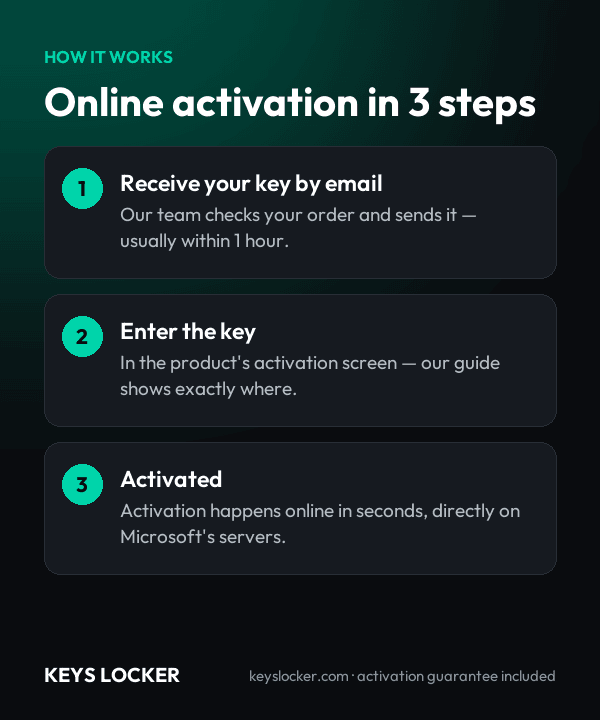
  1. Open RD Licensing Manager
  2. Install your RDS 2016 User CAL key
  3. CALs are active

See our guide and Microsoft docs.

Is This Key Genuine?

Genuine Microsoft RDS 2016 User CAL key. Full guarantee.

Frequently Asked Questions

Windows Server 2016 RDS CALs cover session hosts running Windows Server 2016 and earlier releases. They cannot license a 2019, 2022 or 2025 session host, because Microsoft's rule is that the CAL version must be equal to or newer than the operating system on the host. If you plan to move to a newer server build, buy CALs for that version instead.

Delivery is automatic. As soon as your payment clears, the license key is emailed to the address on your order, normally within one to five minutes. Nothing is shipped and there is no manual processing queue to wait behind. If the message has not arrived, check your spam folder first, then contact support and we will resend it.

Yes. A license server may hold CALs of its own version or older, so a Windows Server 2016, 2019, 2022 or 2025 licensing server can all issue these 2016 CALs. The reverse does not work: a 2016 license server cannot install 2019 or later CALs. Either way, the session host itself must still be Windows Server 2016 or earlier.

Yes. RDS CALs are additive rather than a replacement. Every person reaching the server needs a Windows Server 2016 CAL for the base operating system, plus this Remote Desktop Services User CAL for the remote session itself. The Windows Server license for the machine and its Server CALs are separate purchases from this pack.

No. Per User CALs are recorded against the account in Active Directory, so they cannot be tracked in a workgroup. A standalone Windows Server 2016 host outside a domain should use Per Device CALs instead. For this pack the license server must be domain-joined and added to the Terminal Server License Servers group in AD DS.

It makes sense if your session hosts are staying on Windows Server 2016 until that date, since a 2016 CAL is the lowest version that will license them and it stays valid for the whole remaining support window. If you expect to rebuild on 2019 or later before then, buy CALs for the newer version, because 2016 CALs will not cover it.

Count endpoints, not people. If 50 staff each reach the 2016 session host from a desk PC, a laptop and a phone, that is 150 devices needing Per Device CALs but only 50 User CALs. Per User wins the moment the average person connects from more than one device. Shift workers sharing fixed terminals are the opposite case.

Contact our support team, which is staffed 24/7. Send the order number and the exact error shown in Remote Desktop Licensing Manager and we will check the key against your setup. If it genuinely cannot be installed on your license server, you receive a replacement key or a full refund within 24 hours of reporting it.

Recently Viewed

Scroll to Top