Buy RDS 2025 User CAL Key (50 Users) | KeysLocker
All Products
Office Windows Microsoft 365 Visio Project Server Bundles
,

Microsoft RDS Server 2025 — 50 User CAL — Online Key

Original price was: $44.99.Current price is: $24.99.

50 Remote Desktop Services (RDS) User CALs for Windows Server 2025. Allows 50 users to connect remotely from any device. Instant digital delivery.

SKU: KL-RDS25-50U Categories: , Tags: , , , Brand:
Platform Windows
Type Key
Region Global
Instant Delivery
Genuine License
24/7 Support
Money-Back Guarantee

Buy RDS 2025 User CAL — 50 User Remote Desktop Licenses

Enable remote desktop access for 50 users with this genuine RDS 2025 User CAL license. Each RDS 2025 User CAL licenses a named user to connect to your Windows Server 2025 via Remote Desktop from any device. Required for RDP, RemoteApp, and Remote Desktop Web Access connections.

What You Get

  • 50x RDS User CALs for Windows Server 2025
  • Instant delivery via email
  • Named user licensing — 50 users, any device
  • Global activation

User CAL vs Device CAL

  • User CAL (this product): Per-user. Connect from any device.
  • Device CAL: Per-device. Any user. See our RDS 2025 Device CAL.

How to Activate

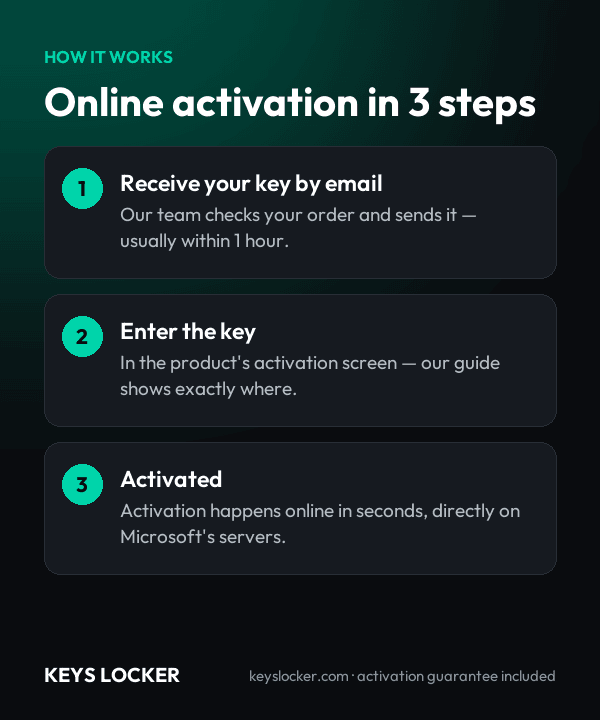
  1. Open Remote Desktop Licensing Manager on your server
  2. Right-click and select “Install Licenses”
  3. Enter your RDS 2025 User CAL license key
  4. CALs are active and ready

See our RDS activation guide and Microsoft RDS documentation.

Is This Key Genuine?

Genuine Microsoft RDS 2025 User CAL key. Full activation guarantee — replacement or refund.

Frequently Asked Questions

Every version up to and including Windows Server 2025. A 2025 CAL is the only CAL that legally licenses a 2025 session host, and it also covers hosts still running 2022, 2019 and 2016. If any part of your farm has moved to Server 2025, this is the CAL version the whole deployment needs.

Your key is issued by email the moment payment is confirmed, normally within one to five minutes at any hour of the day. Nothing is posted and no manual review is involved. If nothing arrives, check junk mail and your mail gateway quarantine, then contact support with your order number and we will resend it.

Yes. CALs can only be installed on a license server running the same version or newer, so 2025 CALs require the Remote Desktop Licensing role on Windows Server 2025. A 2022 or 2019 license server will reject them. That same 2025 license server can still hold your existing 2022, 2019 and 2016 CAL pools.

No. The day a host becomes Windows Server 2025, your 2022 CALs stop licensing connections to it, although they remain valid for any server you keep on 2022 or below. Buying 2025 User CALs is the only route, as there is no conversion that upgrades an existing CAL pool to a newer version.

Two things matter for session-based work. The support window runs to November 2034, roughly three years longer than Windows Server 2022, and Hyper-V now supports GPU partitioning, so one physical GPU can be shared across several VDI or session-host virtual machines while still allowing live migration between standalone hosts.

The CALs are perpetual with no annual renewal. The 60-day date shown against a Per User CAL in Licensing Manager is only a renewal timer that extends each time the user signs in. If you rebuild or replace the licensing server, the pack is reinstalled on the new one, normally through telephone activation with Microsoft's Clearinghouse.

It covers 50 named users, each free to connect from as many devices as they like. Add a further pack for every additional 50 users and install it on the same 2025 license server, where the pools simply add together. Because Per User CALs cannot be revoked, size the purchase on headcount rather than planning to reclaim licenses later.

We run support 24/7. Send the order number plus the error returned by the Install Licenses wizard on your Server 2025 licensing server and we will investigate. If the key genuinely will not install or activate, you receive a replacement key or a full refund within 24 hours of contacting us.

Recently Viewed

Scroll to Top