Buy Windows Server 2019 Essentials Key | KeysLocker
All Products
Office Windows Microsoft 365 Visio Project Server Bundles
Get CID
,

Microsoft Windows Server 2019 Essentials — Online Key

(1 review)

$7.99

Genuine Windows Server 2019 Essentials license key with fast delivery. Purpose-built for small businesses with up to 25 users and 50 devices. No CALs required.

What happens after you pay
  • Our team checks your order and emails your key — usually within a few minutes.
  • Your key and a step-by-step activation guide also stay on your order page.
Genuine Microsoft license Personal support chat 7 days to activate — guaranteed Secure checkout by Stripe
SKU: KL-WINSRV19-ESS Categories: , Tags: , , , Brand:
Activation Online — enter the key and it activates
License One-time purchase — permanent
Covers 1 server
Warranty Activate within 7 days — free replacement if it doesn't work
Delivery Checked by our team — usually within a few minutes

Buy Windows Server 2019 Essentials Key — Small Business Server

Get a genuine Windows Server 2019 Essentials key for small businesses with up to 25 users and 50 devices. This Windows Server 2019 Essentials key requires no Client Access Licenses — one key covers everything. File sharing, remote access, backup, Active Directory included.

What You Get with This Windows Server 2019 Essentials Key

  • 1x genuine Windows Server 2019 Essentials key
  • Fast delivery
  • Up to 25 users, 50 devices
  • No CALs required
  • Global activation

Essentials vs Standard

  • Essentials (this product): 25 users max, no CALs. Simple management.
  • Standard: No user limit (with CALs), 2 VMs. See our Server 2019 Standard key.

How to Activate

  1. Download from Microsoft
  2. Enter your Windows Server 2019 Essentials key
  3. Activates through Microsoft servers

See our server guide.

Is This Key Genuine?

Genuine key. Your Windows Server 2019 Essentials key activates on official servers. Covered by our activation guarantee.

  • One Windows Server 2019 Essentials product key valid for a single server installation, delivered by email.
  • Activation of the Essentials edition itself, with access rights for up to 25 users and 50 devices already included, so no CALs are needed.
  • Activation instructions covering both the Settings activation page and the slmgr /ipk and slmgr /ato command sequence.
  • Guidance on obtaining official Microsoft Windows Server 2019 Essentials media and installing the Desktop Experience option that matches the key.
  • A written summary of what this release no longer contains, meaning the dashboard, client PC backup and Remote Web Access, so replacements can be planned before rollout.
  • Licensing model: one server license covering one physical server. Licensed per server rather than per core, so no core packs and no 16 core minimum apply.
  • Access rights: up to 25 user accounts and 50 devices are covered by the server license. No Windows Server CALs are required, and buying CALs will not lift the ceiling.
  • Processor limit: up to two physical processor sockets, unchanged from Windows Server 2016 Essentials. The single socket and 10 core ceiling applies only from the 2022 Essentials edition onward.
  • Memory limit: 64 GB of RAM on a single socket, so one modern CPU is the whole machine - half the socket budget a 2016 Essentials license allowed.
  • Instance rights: one instance in a physical operating system environment plus one in a virtual one; when both run, the physical instance may only host and manage the virtual machine. The two workload VM right that Standard carries is not included.
  • Removed features: no Essentials Experience role, which means no Essentials dashboard, no client PC backup, no Remote Web Access and no Anywhere Access wizards.
  • Directory flexibility: no domain controller requirement. The server can be promoted to a domain controller or joined to an existing domain as a member server. As a domain controller it must be the only one, must hold all FSMO roles, and cannot have two way trusts with other domains.
  • Installation option: Desktop Experience (full GUI); Server Core is not an Essentials installation option.
  • Minimum hardware: 1.4 GHz 64 bit processor, 2 GB RAM for a Desktop Experience install, at least 32 GB of free disk space, and one Ethernet adapter. Allow considerably more disk for data and updates.
  • Migration note: moving from a 2016 Essentials server means replacing the services the Essentials Experience provided. Dashboard settings and client backup histories do not carry forward.
  • Activation: online activation over the internet, one activation per license, tied to one installation. If you are joining an existing domain, do that first so the key binds to the final machine identity.
  • Edition matching: this key is 2019 Essentials only. Standard, Datacenter and the 2016 Essentials build will all refuse it, which is the single most common activation failure on this SKU.
  • Downgrade media: no earlier-release media or keys come with this license. Install 2019 Essentials specifically; a 2016 Essentials ISO will reject this key at activation.
  • Support lifecycle: mainstream support ended January 9, 2024; extended support with security updates runs to January 9, 2029.
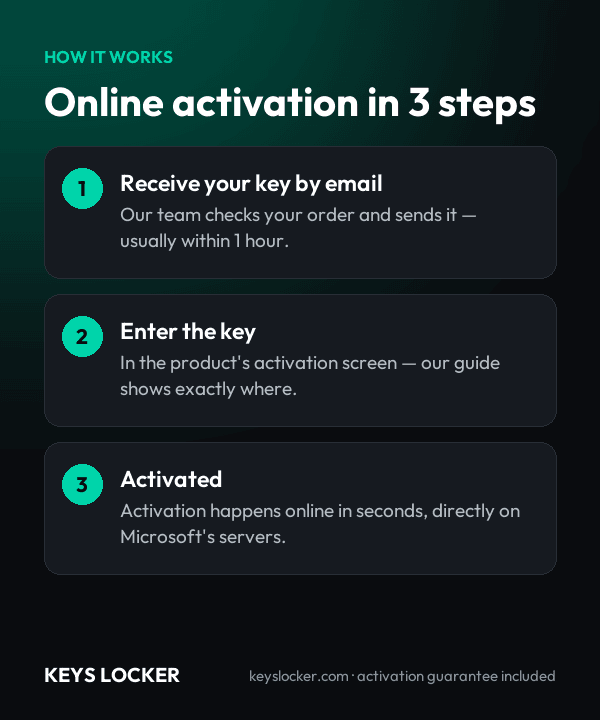
  1. Purchase — Complete your order securely
  2. Receive Key — Your key appears on your order page right after payment, and we email you a link. Click “Reveal key” to see it
  3. Activate — Enter the key during product setup or in Settings > Activation
5.0
★ ★ ★ ★ ★
Based on 1 review
5 ★
1
4 ★
0
3 ★
0
2 ★
0
1 ★
0
★ ★ ★ ★ ★
Verified Purchase
TR 3 weeks ago

Worked as expected with no issues! Awesome pricing. Awesome communications. Higly recommended! I will be back in the future when I need to obtain a new set of licenses.

Add a Review

★ ★ ★ ★ ★
How this key works

Enter the key in Server Manager or with slmgr /ipk; it activates online.

Reinstalling

After reinstalling the same server, enter the key again.

New hardware

One license covers one server.

Compare all key types — OEM, Retail, phone, Microsoft account →

Frequently Asked Questions

The 2019 release dropped the Essentials Experience role entirely. There is no Essentials dashboard, no scheduled client PC backup, no Remote Web Access and no Anywhere Access wizards. What remains is Standard edition functionality with small business limits applied. The hardware ceiling is unchanged from 2016: up to two physical processor sockets and 64 GB of RAM. The drop to a single socket and a 10 core limit came later, with the 2022 Essentials edition.

Usually instantly, and at most a few minutes depending on demand and stock. Your key appears on your order page as soon as your payment is confirmed, and we email you a link to it. The key stays hidden until you click Reveal key.

No on both counts. Standard and Datacenter are licensed per core, with a 16 core minimum per server, and need separate user or device CALs. Essentials is a single per server license instead, so there are no core packs to count and no CALs to buy; 25 users and 50 devices are covered.

Yes. With the Essentials Experience role gone, the 2019 release has no requirement to be the root domain controller of its own forest, so you can add it to an existing domain as a member server. Trust limits do remain: if you promote it to domain controller it must be the only one, must hold all FSMO roles, and cannot have two way trusts with other Active Directory domains.

That feature left along with the Essentials Experience. Windows Server Backup still protects the server itself, while client machines are usually covered by File History or OneDrive sync per PC, Azure Backup, or a third party agent. Plan this before migrating from a 2016 Essentials box, because existing client backup histories do not transfer.

You can install it in a virtual machine. The license covers one instance in a physical operating system environment plus one in a virtual one, but when both run the physical instance may only host and manage the virtual machine, not carry workloads. The two workload VM entitlement belongs to Standard edition, so a multi VM host needs Standard or Datacenter licensing.

Send our support team your order number and a screenshot of the activation error. Most problems are an edition mismatch or a typo, and we'll help you fix it. If the key really is faulty, we send a free replacement within 24 hours — or a full refund if we can't replace it.

Choose 2019 for the longer runway: extended support runs to January 9, 2029 against January 12, 2027 for the 2016 release. Choose 2016 only if the Essentials Experience features, meaning the dashboard, client PC backup and Remote Web Access, are the actual reason you are buying an Essentials license.

7-Day Activation Guarantee

Activate your key within 7 days of purchase. If it doesn't activate, we send a free replacement — or a full refund if we can't replace it.

Recently Viewed

Scroll to Top