Buy RDS 2019 User CAL Key (50 Users) | KeysLocker
All Products
Office Windows Microsoft 365 Visio Project Server Bundles
,

Microsoft RDS Server 2019 — 50 User CAL — Online Key

Original price was: $34.99.Current price is: $19.99.

50 Remote Desktop Services (RDS) User CALs for Windows Server 2019. Allows 50 users to connect remotely from any device. Instant digital delivery.

SKU: KL-RDS19-50U Categories: , Tags: , , , Brand:
Platform Windows
Type Key
Region Global
Instant Delivery
Genuine License
24/7 Support
Money-Back Guarantee

Buy RDS 2019 User CAL — 50 User Remote Desktop Licenses

Get a genuine RDS 2019 User CAL pack for 50 users on Windows Server 2019. Each RDS 2019 User CAL licenses a named user to connect via RDP from any device.

What You Get

  • 50x RDS User CALs for Server 2019
  • Instant delivery
  • Named user licensing
  • Global activation

User vs Device

How to Activate

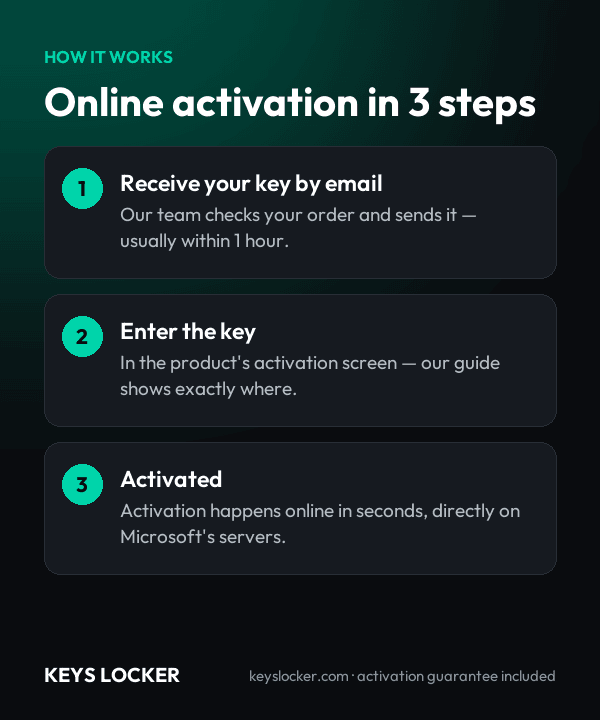
  1. Open RD Licensing Manager
  2. Install your RDS 2019 User CAL key
  3. CALs are active

See our guide and Microsoft docs.

Is This Key Genuine?

Genuine Microsoft RDS 2019 User CAL key. Full guarantee.

Frequently Asked Questions

No. RDS CALs never work upward. A 2019 CAL licenses session hosts running Windows Server 2019, 2016 and earlier only. To connect users to a 2022 or 2025 host you need CALs of that version, which in turn also cover your existing 2019 hosts. Buy CALs to match the newest server you actually run.

Immediately after payment is confirmed the system emails your license key to the address used at checkout, typically within one to five minutes. There is no manual approval step and nothing is posted. If it has not appeared, look in your spam or promotions folder first, then message support and we will resend it straight away.

A newly built Remote Desktop Session Host accepts connections for 120 days without any license server at all. When that window closes, clients are refused until a licensing server holding valid CALs is reachable and the host's licensing mode is set. Install and activate these CALs inside the grace period rather than waiting for users to be locked out.

Add the Remote Desktop Licensing role, activate the license server in Remote Desktop Licensing Manager, then run the Install Licenses wizard and enter the key we send you. Finally set the licensing mode on each session host to Per User and point it at the license server. Written instructions are included with the key.

Yes. A single Windows Server 2019 license server can hold 2016 and 2019 CAL pools side by side, and each session host is issued a CAL matching its own operating system version. That is the normal way to run a mixed estate during a migration, and it avoids replacing CALs for servers still on 2016.

No. Under the Per User model Microsoft does not block connections, and the license server will keep issuing from an overused pool, so you can exceed what you own with no warning on screen. That is a breach of the license terms rather than a loophole, so track usage in Licensing Manager and hold one CAL per named user.

Fifty named users, each entitled to connect from any number of devices. In a deployment where 30 staff use a desktop and a laptop while 20 also carry a tablet, the endpoint count reaches 120 and Per Device CALs would have to match it, while these 50 Per User CALs still cover everyone. Extra packs stack on the same license server.

Our support desk answers 24 hours a day. Send your order reference and the exact message returned by Remote Desktop Licensing Manager, and we will verify the key. If it cannot be installed or activated on your 2019 license server, we replace it, or refund you in full, within 24 hours of the report.

Recently Viewed

Scroll to Top